How to Make a Zombie Couple Video From Two Photos
 SceneBloom
Make a 13-second zombie couple AI video from two photos. Follow portrait selection, role assignment, sign-in, checkout, generation and MP4 download step by step.
Choose one clear photo of each adult. Put the survivor in the first slot and the infected partner in the second. Select a pack that includes the entire story, then check your photos, roles, length and price before ordering.
Start with the two people at the heart of your story. No prompt writing or video editing is required. The Zombie Couple video generator uses a prepared 13-second story with sound: recognition, a choice to embrace, then a warm memory.
If you are still deciding which portraits to upload, compare them with the photo checklist. If you want to adapt the scene in a different tool, use the copyable zombie love story prompt.
Choose photos where you look like yourselves.
Use one person per image, with the whole face visible. A front-facing portrait in even light gives a clearer reference than a distant group shot or a heavily filtered selfie. Keep the hairstyle and other details you want to recognize in the finished story.
- JPG, PNG or WebP, up to 10 MB per photo.
- At least 300 × 300 pixels; use a larger, sharp original when available.
- Avoid sunglasses, hands covering the face and strong beauty filters.
- Choose photos of adults who have agreed to appear.
You do not need a zombie photo. The infected role starts with a regular portrait.
Decide who stays human and who turns.
The first photo is the survivor: the person who recognizes their partner and cannot pull the trigger. The second photo is the infected partner: the person approaching through the cold scene.
Either person can play either role, regardless of gender. Use the swap button to reverse the portraits before continuing. In the memory, both people are healthy.
Keep the choice and the memory.
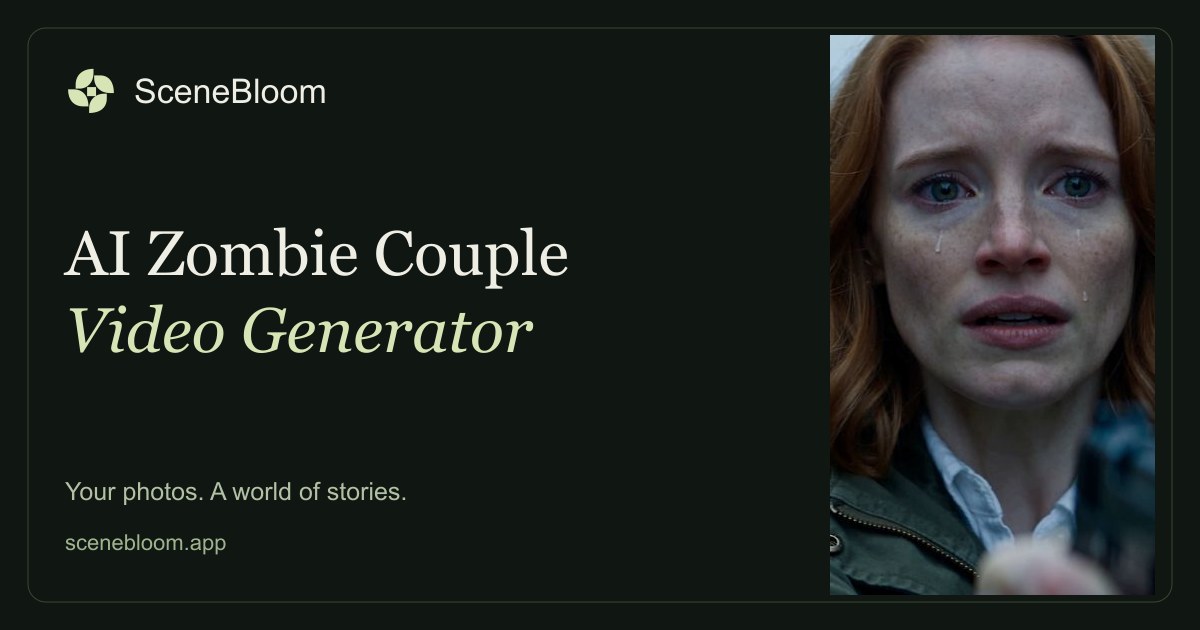
The zombie appearance sets up the tension. The survivor’s tears explain the choice. When the survivor lowers the gun and stops resisting, the approaching person becomes someone they want to hold again.
The contact cuts into a warm memory of the same two people. That is why a complete story matters: an isolated transformation misses the emotional turn. The sunny ending recalls life before the outbreak; it does not show a cure.
Watch the story previewCheck the whole order in one place.
Look at both portraits one more time. Confirm who plays the infected partner, how many videos are in your pack and the one-time total. This Zombie Couple tool is designed around complete 13-second, 720p portrait stories with sound, rather than making the ending an extra upgrade.
A multiple-video pack is for separate stories. The two portraits you prepare first belong to the first story; another video can use a different pair.
Judge the people, then the effects.
AI-generated faces and movement can vary. When reviewing a finished video, check whether both people remain recognizable, whether the roles stay separate and whether the change into the memory makes sense. Fast movement, tears and dramatic makeup can make likeness harder to judge.
The product page preview illustrates the story’s emotional arc. Your selected portraits provide the character references for your own video; individual results may vary.
From photos to a downloadable video
- Open the Zombie Couple creator. Upload one adult portrait in each slot, then use Swap the two photos if you want to reverse the roles. JPG, PNG and WebP are supported; each image must be at least 300 × 300 pixels and no larger than 10 MB.
- Select a pack and confirm that both adults have agreed to appear. Review the two photos, the role order, video count and one-time total in the form. Sample photos let you explore the interface; select your own authorized photos to continue.
- If you are signed out, choose Sign in and keep my photos. After signing in, return to the creator and check the restored photos and pack. A temporary photo selection can be kept on this device for up to 30 minutes; sign-in alone does not place an order.
- With the photos and consent ready, choose Pay [your pack total] & create video. Your photos upload privately and a saved story is created before secure checkout opens. If you already have available video uses, the button offers to use one instead. After payment, return to the saved story on the product page. If confirmation is pending, check that same story instead of paying again.
- Follow the existing task in My videos. Queued, creating and saving are different stages; saving a completed film does not require generating it again. Processing times vary.
- When the result is ready, select Download video. Save the MP4 within the 30-day download period. Review both faces, the movement and the memory ending before sharing it.
The story preview uses fictional adult characters. It illustrates the mood and format, not a before-and-after test of uploaded portraits.
If something does not work
- A photo is rejected: check its format, file size and pixel dimensions. Use the original portrait instead of a tiny screenshot.
- Uploaded photos have expired: select them again. Uploads are available for 24 hours; a pack's remaining video uses are separate from the photos.
- A task is checking its submission: wait for confirmation or contact support. Starting another task can create an unwanted second generation.
- A generation is confirmed as failed: an eligible use is returned to an unrefunded pack. A cash refund is a separate request under the Refund Policy.
- A face or movement looks wrong: use a clearer portrait, remove facial obstructions and check which role each photo occupies. AI results are variable; a preview is not a guarantee of an exact match.
For an account or order problem, open Contact Support. Include the task or order identifier rather than sending card details.
Make it your story.
Choose our photosPrefer to explore the scene prompt? Read the prompt guide ↗